Your workstation stays where it belongs. You work wherever you are.
Mercurius is not remote desktop software. It provides long-lived graphical sessions that remain on your workstation, allowing you to disconnect, move elsewhere, and resume exactly where you left off.
Use Cases
Mercurius is designed around a simple idea: your workstation is a permanent computing environment, not something tied to a particular keyboard, monitor, or network connection. Sessions remain alive until you choose to end them, allowing you to move between locations, devices, and displays without interrupting your work.
The examples below illustrate the kinds of workflows Mercurius enables. Some are everyday conveniences, others are capabilities that are difficult or impossible to achieve using traditional remote desktop systems because Mercurius treats sessions, rather than displays, as the fundamental unit of interaction.
Use Case 1
Move a live desktop session between two physical machines.
- Login on
xavier. - Start a Mercurius session (i.e.
_localtransport). - Detach the session on
xavier. - Logout.
- Walk to the studio.
- Login on
flash. - Attach the session on
xavier(i.e._sctptransport).
Use Case 2
Run multiple long‑lived desktops, switching between them like tmux sessions.
- Login on
flash. - Start a Mercurius session on
xavier(i.e._sctptransport). - Work on Mercurius for a bit:
- VS Code, browser windows, chats with AIs, SSH sessions — the desktop has a lot of state.
- Detach that session.
- Start a new session on
xavier(still SCTP fromflash). - Play games, do email, and other tasks for a while.
- Close that session.
- Reattach the earlier Mercurius session.
- Do more work on that for a time.
- Detach that session.
- Logout of
flash.
KDE does some of that with workspaces, but not like this.
Working locally using the same workflow
Mercurius can create multiple independent desktops on a single host:
- You are logged in normally on
flash. - You start a Mercurius session locally (i.e. on flash).
- You work for a while — windows, GPU state, everything.
- You detach the session.
- You start a second Mercurius session, still on flash.
- You work in that one.
- You detach it.
- You reattach the first session exactly where you left it.
No switching users, no switching VTs, no nested compositors, no containers, no virtual machines — just multiple real desktops on one machine, all GPU‑accelerated and all long‑lived.
Use Case 3
Run Applications Wherever They Live (OS‑Agnostic Execution)
Mercurius treats workstations as stable computing environments. If a program lives on a particular machine, you simply run it there — regardless of what operating system your machine is running.
This enables workflows that are difficult or impossible with traditional remote desktop systems, because Mercurius treats sessions and workstation identity, not displays or OS boundaries, as the fundamental unit of interaction.
Example workflow
You are working on flash, a Debian workstation.
- The program you want is not installed on
flash. - It is installed on
xavier(Kubuntu). - Another program you want to run lives on
torch(FreeBSD).
With Mercurius, you simply run each program where it lives:
	$ mwsc xavier /usr/local/bin/vulkan/gears &
	$ mwsc torch mlogo &
	$ mwsc xavier /usr/local/bin/vulkan/texturemipmapgen &

	$ jobs
	[1]   Running                 mwsc xavier /usr/local/bin/vulkan/gears &
	[2]-  Running                 mwsc torch mlogo &
	[3]+  Running                 mwsc xavier /usr/local/bin/vulkan/texturemipmapgen &
What this enables
- OS‑agnostic execution: You are on Debian; one program is on Kubuntu; another is on FreeBSD. Mercurius does not care.
- Workstation‑native behaviour: Each program runs in the environment where it belongs — with its own libraries, GPU drivers, filesystem, and OS.
- GPU locality: Rendering happens on the workstation’s GPU (for example, xavier’s RTX card), not on the Portal.
- Unified user experience: All windows appear together on your Debian desktop as if they were local.
- No mode switching: You do not open a remote desktop or forward displays — you simply run programs.
How this differs from ssh -X
This workflow may look superficially similar to ssh -X, but the behaviour is fundamentally different.
Mercurius preserves workstation semantics and GPU locality:
the remote machine performs the rendering, and the Portal only displays the final image.
Unlike X11 forwarding, Mercurius works across mixed operating systems, supports unmodified Vulkan applications, survives disconnects, and does not expose the workstation’s GPU or libraries to the Portal.
Why this matters
This workflow demonstrates Mercurius’s core philosophy:
Applications run where they live. Windows appear where you live.
It is a real, everyday example of Mercurius’s network‑native semantics — showing how the system dissolves OS boundaries, preserves GPU locality, and keeps workstation identity at the centre of the computing model.
Use Case 4
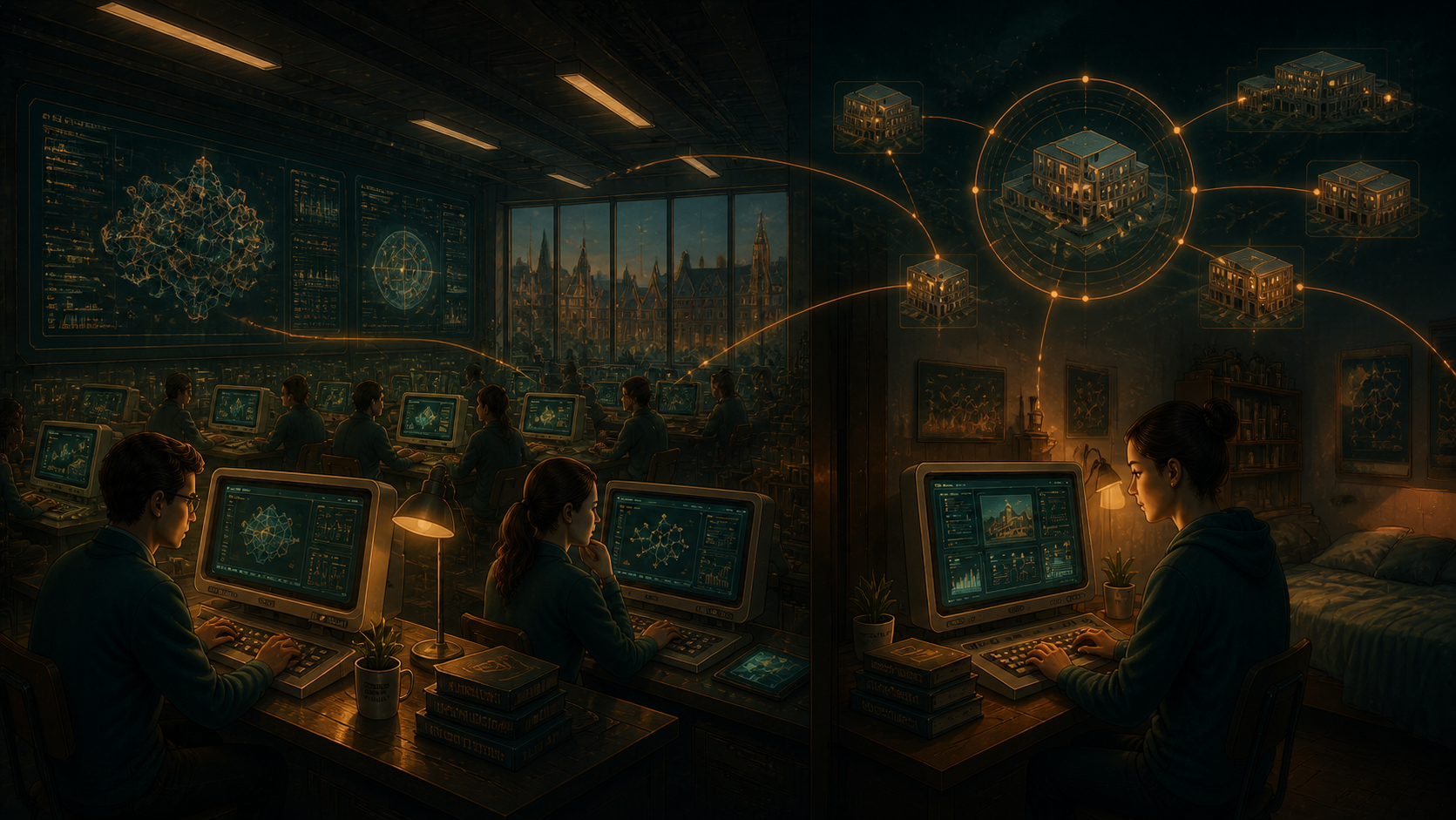
Campus‑wide computing with detachable sessions for students.
- Big central computers maintained by “priests”.
- Many Mercurius Portals — cheap, stateless terminals accessible to all.
- Thousands of students logging on and off all day, on campus and remotely.
- Detachable sessions so work can start in the computer science lab and continue in halls.
- During the day: a proper terminal, big screen, nice keyboard, fast network.
- Later: back in the dorm room on the laptop their parents bought — it is what it is.
- They reattach to the exact same session they were using from a Portal earlier.
The session stays alive on the workstation. Movement, disconnection, and device changes do not interrupt it. Students use whichever Portal is in front of them; their work remains on the machine that runs it.
Use Case 5
Secure remote systems for small satellite offices with a dedicated line.
- Small satellite offices connected to HQ by a dedicated (leased) line, typically with:
- A handful of staff
- A private, fixed‑bandwidth link back to HQ
- No on‑site IT support
- Strict security requirements
- Low‑power desktops or thin clients
- No tolerance for local data storage
- Even with a dedicated line, these sites often struggle with:
- Fragile RDP sessions
- VPN drops
- Inconsistent performance
- Security concerns about data leaving the main site
- Mercurius solves this cleanly:
- The session runs centrally on secure servers
- The satellite office accesses session remotely
- No data ever leaves HQ
- No files are stored locally
- If the line blips, the session keeps running
- When the connection returns, the user reattaches instantly
- This gives small offices:
- Secure access to internal systems
- Consistent performance over the dedicated link
- GPU‑accelerated workloads if needed
- Zero local attack surface
- Zero risk from stolen or compromised endpoints
- A far better experience than RDP, VNC, or browser‑based desktops
It is the modern equivalent of a Sun Ray terminal — but designed for real‑world branch offices with dedicated circuits and minimal IT presence.
Use Case 6
“Follow‑me desktop” mobility for office workers like Sarah in Accounts.
- Any desk becomes “her” desk. Sarah logs in at:
- Her office PC
- A meeting‑room terminal
- A shared workstation
- A temporary desk
- A remote hub
- Every time, she gets her desktop:
- Her accounting software
- Her spreadsheets
- Her browser tabs
- Her windows exactly where she left them
- She detaches when she leaves, and reattaches wherever she goes.
This is the “follow‑me desktop” that enterprises have wanted for decades.
Use Case 7
Use a single desk to switch between entirely different operating systems without rebooting.
- You sit at your usual desk with your keyboard, mouse, and monitor.
- Your everyday environment is Debian.
- But today you need to work in FreeBSD.
- You do not want to reboot, shuffle hardware, or move to another machine.
So you simply:
- Detach from your Debian session.
- Attach to a Mercurius session running on a FreeBSD server.
- Your entire desktop environment changes instantly under your hands.
Same desk. Same chair. Different operating system.
It is the workstation equivalent of changing trains without leaving the platform.
Use Case 8
Deploy stateless Mercurius Portals as safe, interchangeable access points.
- A small office, studio, or lab equips each desk with a low‑power Portal device instead of a full workstation.
- The Portal contains no user data, no reusable secrets, and no configuration beyond “how to find the Mercurius servers”.
- A user sits down, authenticates to the Mercurius workstation, and attaches to their existing session — the same one they used yesterday, even if it was from a different desk or a different building.
- When they detach and walk away, the Portal is effectively empty again: no cached files, no browser history, no credentials to steal.
- If a Portal is lost, stolen, or reimaged, nothing of value is exposed. A replacement can be plugged in, pointed at the Mercurius service, and immediately used as another doorway into the same long‑lived workstations.
The place you care about lives on the Mercurius host, while Portals remain anonymous, interchangeable pieces of furniture.
Use Case 9
Work from home, road‑warrior or consultant working from client sites and hotel rooms.
- Use a laptop anywhere — with nothing of value stored on it.
- Consultants, auditors, and engineers often work from:
- Client sites
- Hotel rooms
- Trains
- Airports
- Temporary desks
- Networks they do not control
- They typically need:
- Access to their full working environment
- Access to internal tools
- Access to documents and code
- The ability to work securely on untrusted networks
- The guarantee that no sensitive data is stored on the laptop
- Mercurius enables exactly this:
- The remote user logs in on their laptop.
- They attach to a Mercurius session running on a secure central machine.
- All work happens there, not on the laptop. The laptop holds no valuable data.
- If the network drops (hotel Wi‑Fi, etc.), the session keeps running.
- When the connection returns, they simply reattach.
- If the laptop is lost or stolen, nothing is compromised.
- This gives road‑warriors:
- A full, persistent desktop
- Consistent performance even on constrained links
- Zero local attack surface
- Zero risk from compromised hotel networks
- The ability to detach instantly and resume later
- A workflow that feels like carrying a powerful workstation everywhere — without actually carrying one
It is the ideal model for people who live out of laptops but cannot afford to leak data or lose state.