
Mercurius in Use
Your applications run where the resources are. You use them where you are. Mercurius is a zero-trust network-native window system that brings their windows, graphics and sound to the desktop in front of you.
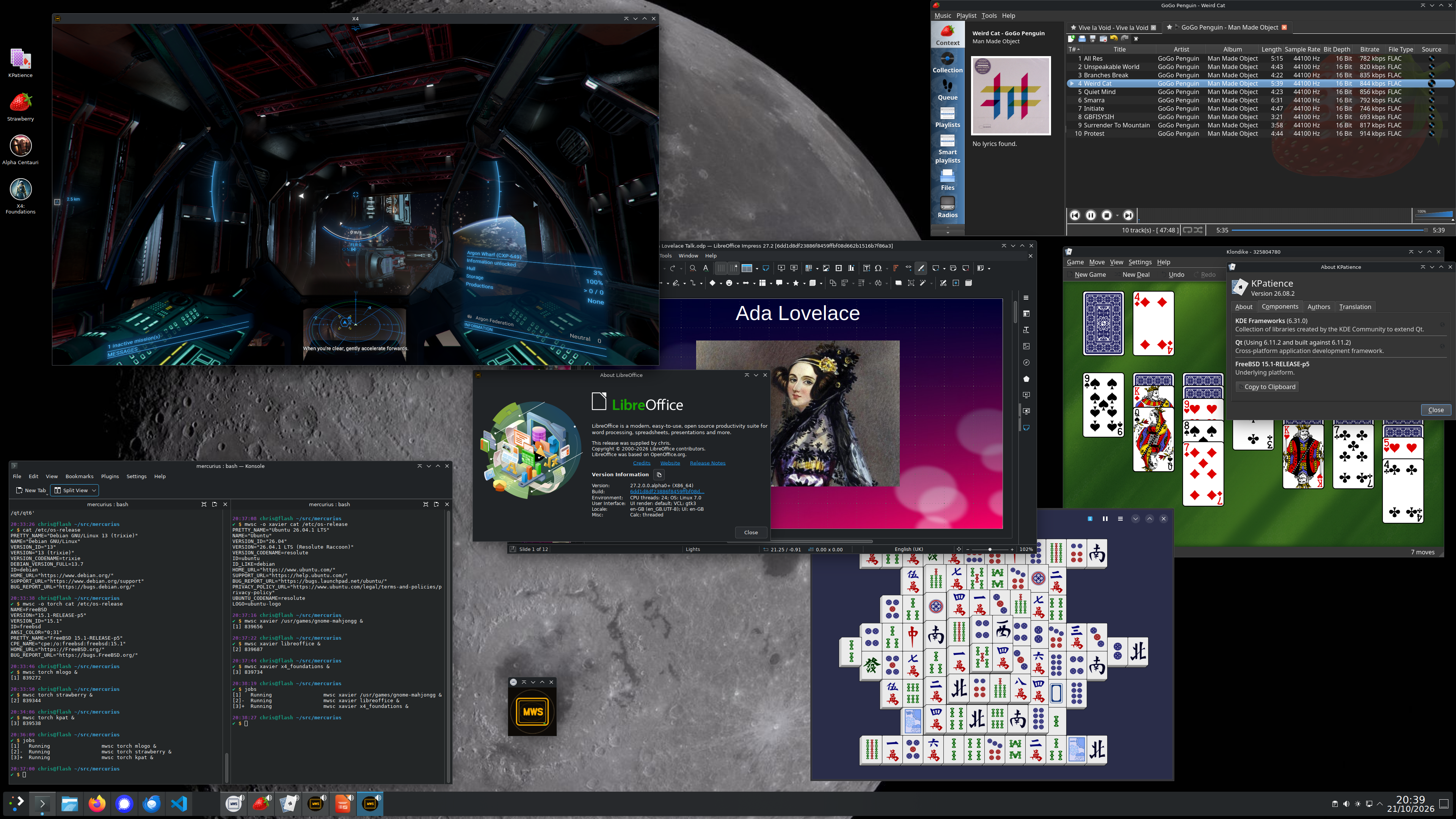
Everything belongs on your desktop
In this screenshot I am sitting at flash, a Debian 13 miniPC. LibreOffice, X4: Foundations, and Gnome Mahjongg are running on xavier, a Kubuntu workstation. The Strawberry music player, KDE Patience and the mlogo applet are running on a FreeBSD server. Both machines are in a different building to the one I am sitting at. I can play games, edit the presentation and listen to music here even while the applications remain there, without installing them on this machine. Despite coming from three different systems, all of the windows behave as ordinary members of a single Plasma desktop. The applications can make use of the full 4K resolution of flash's monitor despite neither xavier nor torch having one.
The Konsole window shows the commands used to start the applications, and the operating systems on which they are running. Normally, rather than typing in commands I would just double-click the relevant icon you can see on the desktop, which will run the application in the same way. Where it is running is then transparent to the user. The application can be installed where it makes the most sense, it does not need to be on the local machine. For example, run data visualisation software on the machine holding huge datasets.
The machine at your seat is the Portal. It connects your display and input devices to the workstation running the application. Both roles can be on one machine, with no network connection required, or on separate machines connected using SCTP. The application and Session model is the same in either case.
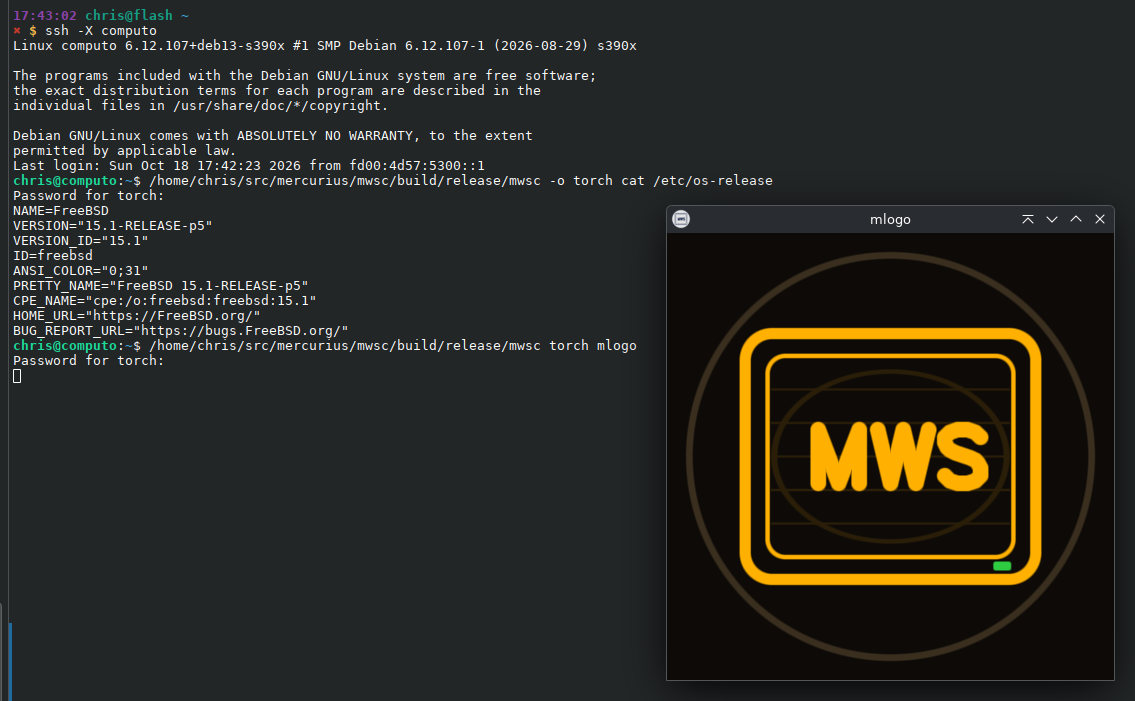
Access begins with authentication, using SSH keys or a password through PAM. Window ownership and message routing are scoped to the authenticated Session. Being on the same LAN does not confer trust.
Your workstation, wherever you sit
The aim is to use your workstation as though your keyboard, mouse, monitor and speakers were plugged directly into it — like a USB dock that can reach across the network. The application stays with the workstation’s files, software and GPU; its window and sound come to you.
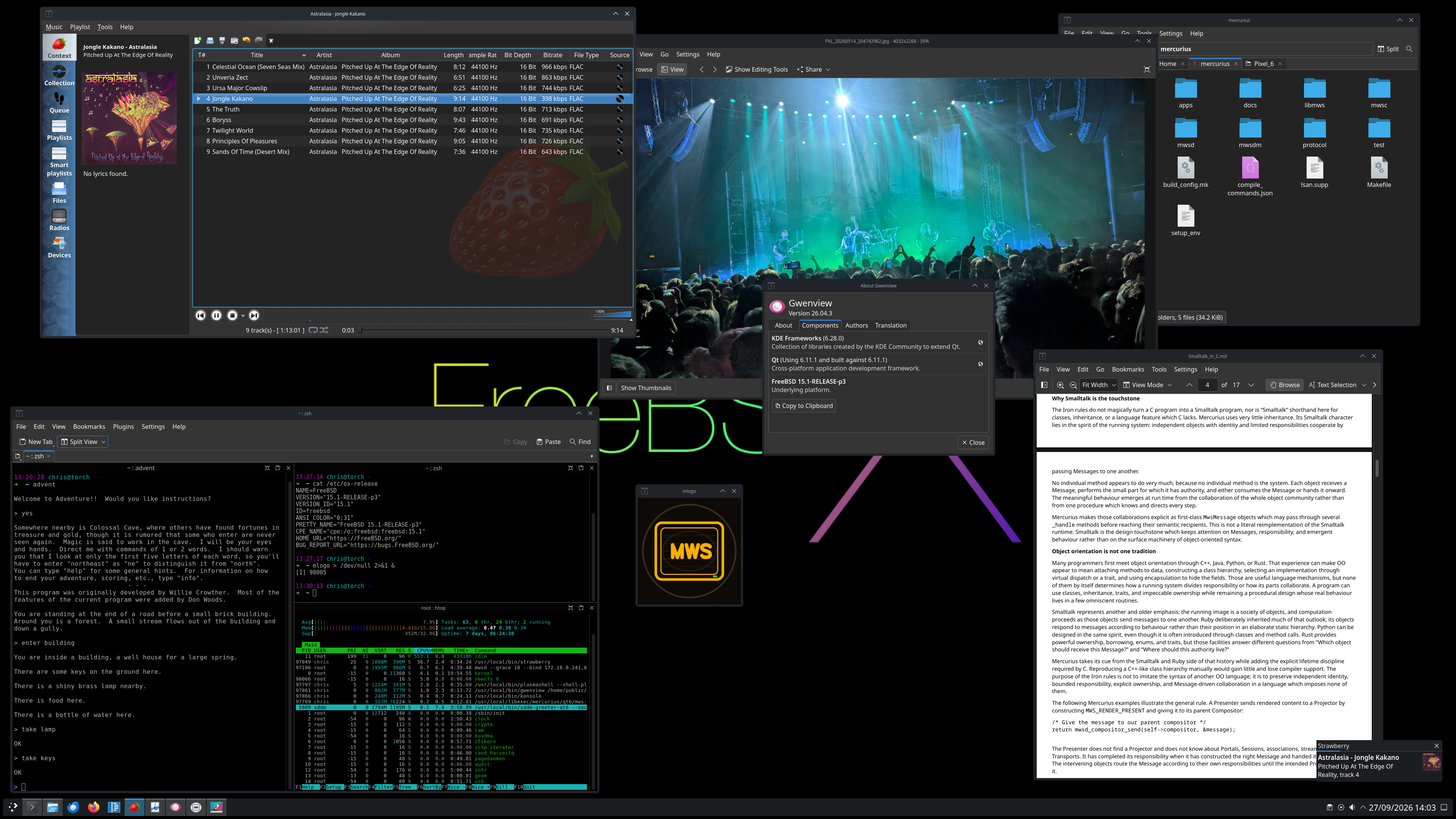
This is a normal FreeBSD desktop session, not a copy of a desktop image. Strawberry plays music from torch’s collection, Gwenview shows a photograph from its picture library, Dolphin browses the Mercurius source tree, and Okular reads its documentation. Each application runs on torch under my own user account, with its usual files and permissions, while Mercurius brings the whole desktop, with sound, to the Portal. In this instance to flash, a Debian 13 miniPC in another building.
Run a desktop or individual programs
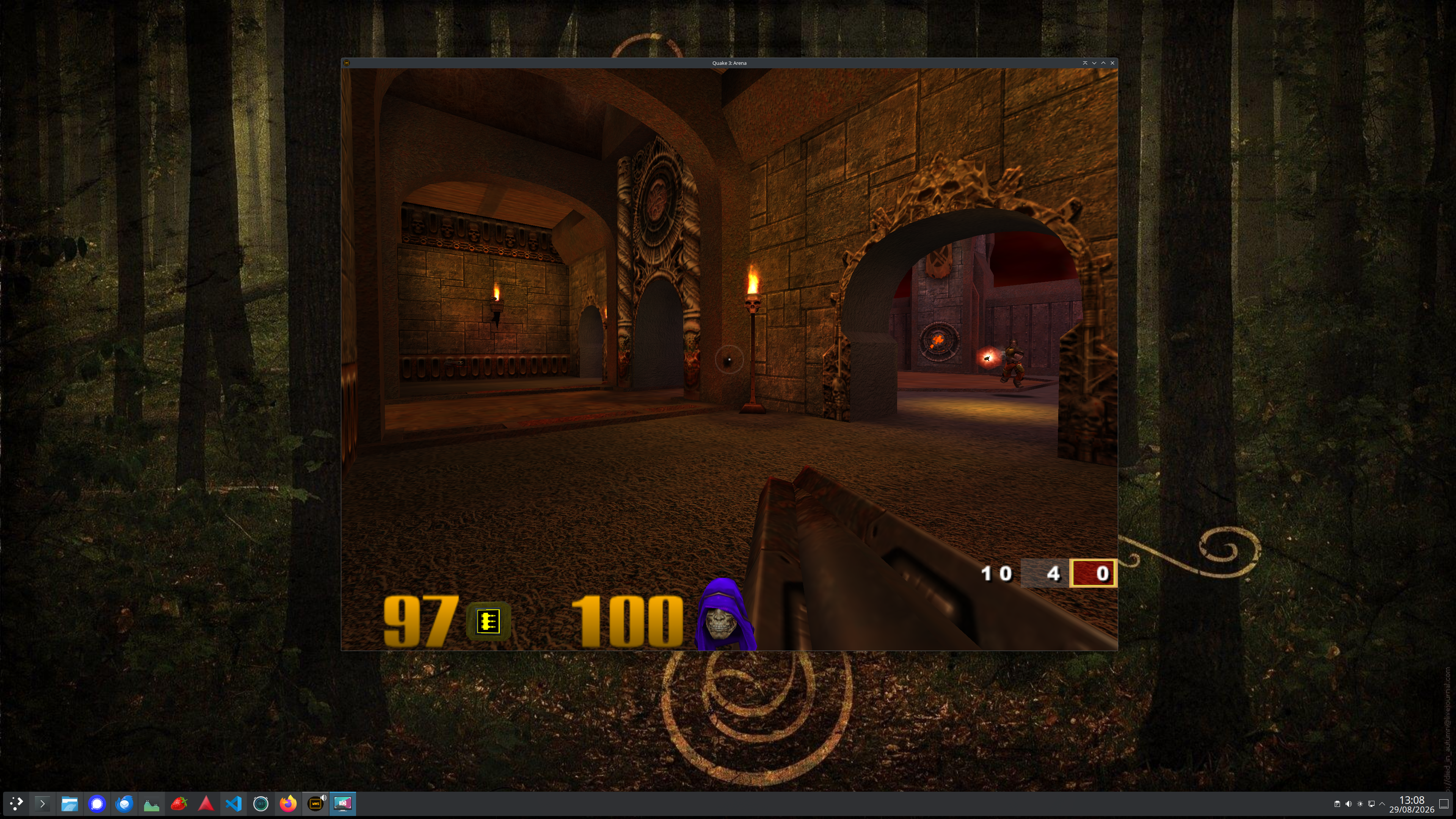
Here I am sitting at flash, which does not have Quake III Arena installed. This command starts it on xavier:
mwsc xavier /opt/quake3/quake3e.x64 &Xavier runs and renders the game. Mercurius delivers its graphics and audio to flash and carries my keyboard and mouse input back, using separate streams. The game has its own window on my desktop, and its sound plays through the speakers beside me.
Run applications wherever they live
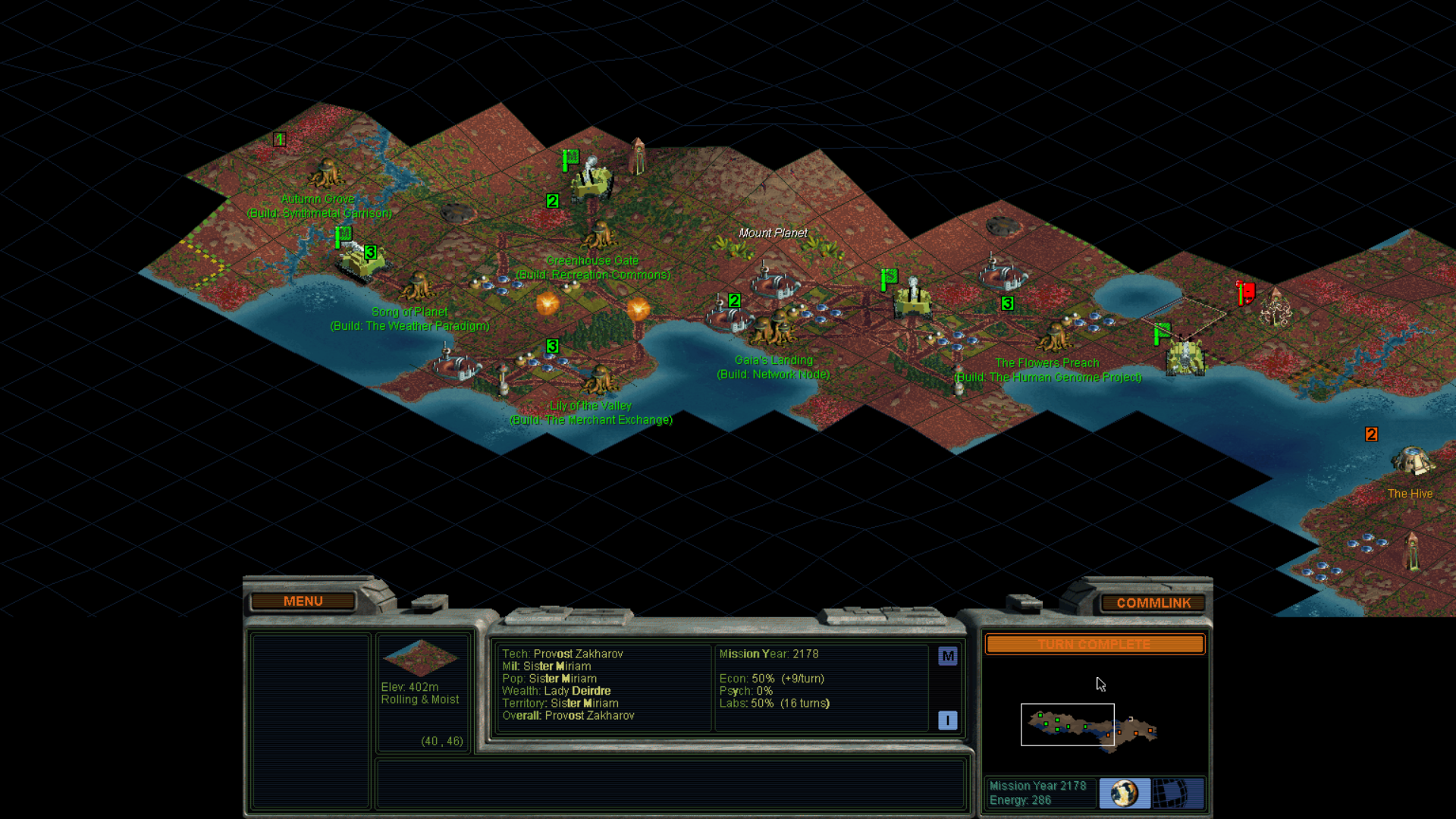
This is a Windows game running under Wine on xavier, yet here I am playing it on my KDE Neon (Plasma 30th Anniversary Edition) laptop over Wi‑Fi in a completely different building. Running full-screen, with graphics, sound, mouse and keyboard all feeling local, it's easy to forget where the game is actually running.
Unmodified applications, different GPUs
The Vulkan applications shown below run unmodified: they do not need to know about Mercurius or its network protocol. Each uses its workstation’s Vulkan device and rendering pipeline; the Portal uses its own GPU to present the result.
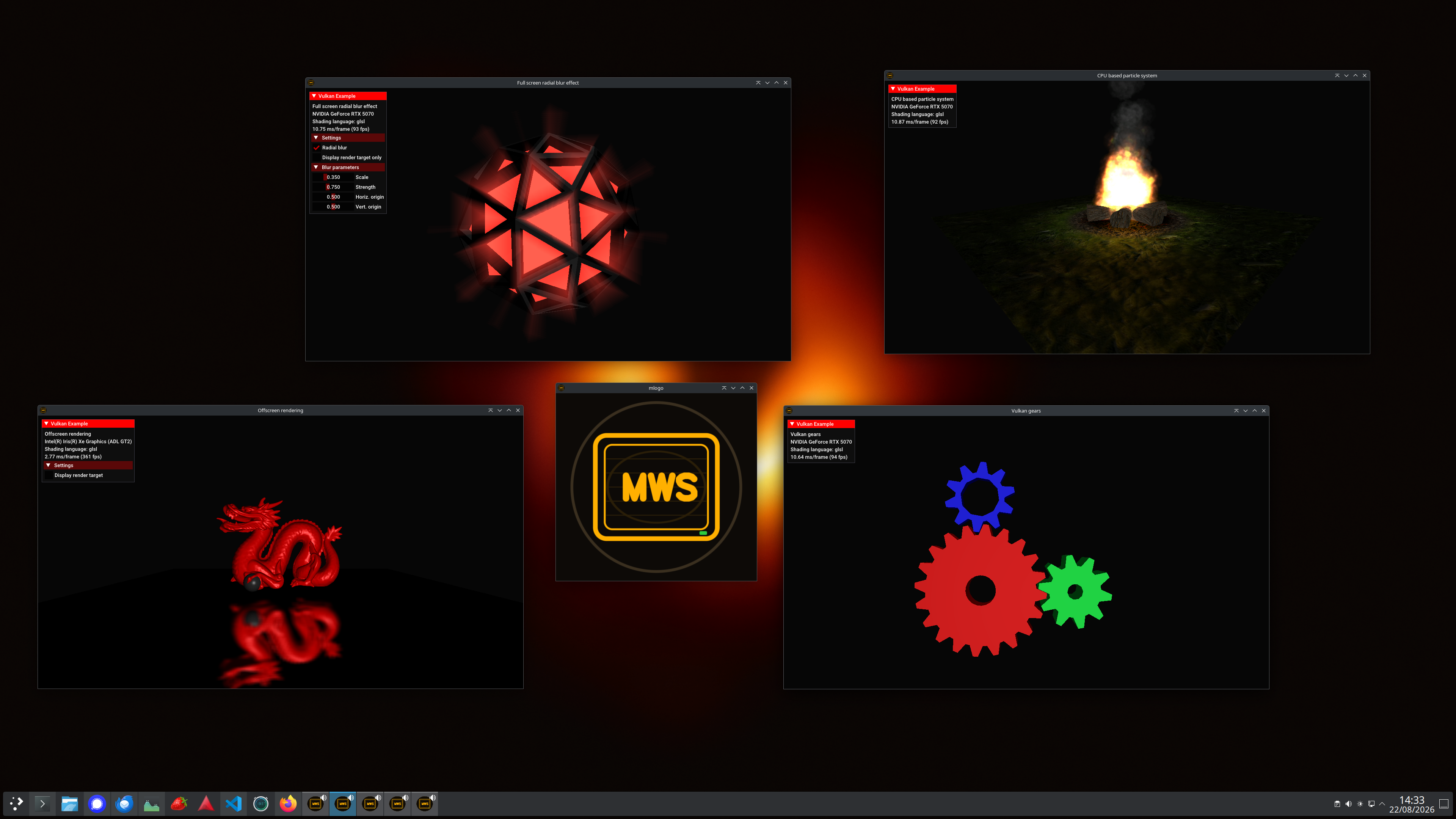
The Mercurius logo runs on FreeBSD, the Stanford Dragon runs locally, and the radial-blur, particle-campfire and gears examples from Sascha Willems’ Vulkan demos run on a remote Kubuntu workstation. These combinations exercise different operating systems, graphics drivers and GPUs, including Intel integrated graphics and NVIDIA hardware.
A workstation, a Portal, or both
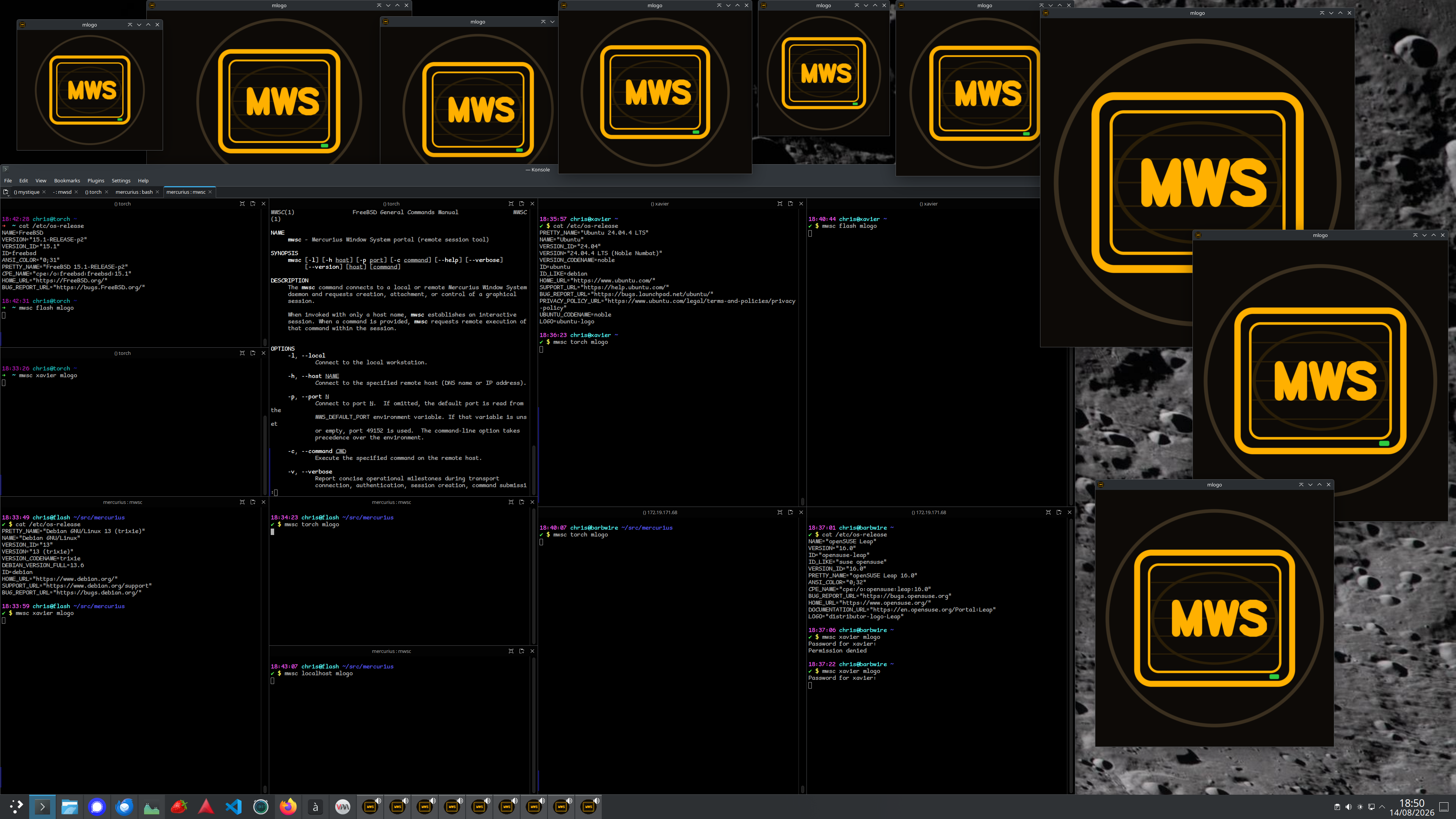
Workstation and Portal are roles, not separate kinds of computer. A machine can run applications for another machine, present applications running elsewhere, or do both at once. You choose where an application runs and where you use it; neither choice is tied to a particular operating system.
The large terminal window makes those roles visible. Its commands and output document Mercurius running across Ubuntu 24.04, Debian 13, FreeBSD 15 and openSUSE Leap 16, including Linux-to-FreeBSD and FreeBSD-to-Linux connections. Each logo window is the visible result of one of those connections, rendered on its workstation and presented at its Portal.
The screenshot also shows the mwsc command-line help and its
manual page. Mercurius fits into familiar Unix working habits: launch an
application with a command, consult the manual for its options, and use
the terminal diagnostics to understand a connection. The terminal also
shows “Permission denied”: access requires authentication, even between
machines on the same local network. The commands and windows shown here
let you see how the pieces fit together.